Instagram does not send a notification when someone unfollows an account. The unfollow usually happens silently, so identifying who unfollowed me on Instagram requires a manual comparison or a tracker that compares public follower data over time.
An accurate unfollow check needs at least two observations. The first observation records a baseline. A later observation shows which usernames were added or removed.
A removed username can indicate an unfollow. A removed username can also reflect a deactivated account, a renamed account, a block, or a temporary data issue. Important results should therefore be verified in Instagram before being treated as final.
How do you see who unfollowed you on Instagram?
You can see who unfollowed you on Instagram by searching for a suspected person in your follower list or by comparing follower snapshots over time. Instagram does not provide a built-in historical list of Instagram unfollowers.
How do you check a specific username manually?
Open your Instagram profile and select your followers. Search for the exact username that you believe may have unfollowed you.
The account is probably not following you if the username is absent from your current follower list. This manual check works best when you already suspect a specific person.
You can also open the other person’s profile and inspect the relationship labels shown by Instagram. The available labels can vary by app version and account relationship. The most reliable confirmation is whether the username appears in your current followers.
A manual search does not show when the unfollow happened. A manual search also does not prove that the person followed you previously. Historical proof requires an older record for comparison.
How do you compare follower snapshots?
Record the follower list at one point in time. Run another check later. Compare the usernames in the first list with the usernames in the second list.
A username present in the first snapshot but missing from the second snapshot is a possible unfollower. A username missing from the first snapshot but present in the second snapshot is a new follower.
RecentFollow.app uses this change-over-time concept for public Instagram usernames. Public-profile monitoring avoids asking for an Instagram password. Public-profile monitoring cannot reveal information that Instagram keeps private.
The same comparison method supports more than a basic unfollow check. Creators can use follower changes to review audience retention. Brands can compare changes around a campaign. Community managers can examine whether a collaboration produced lasting followers or short-term churn.
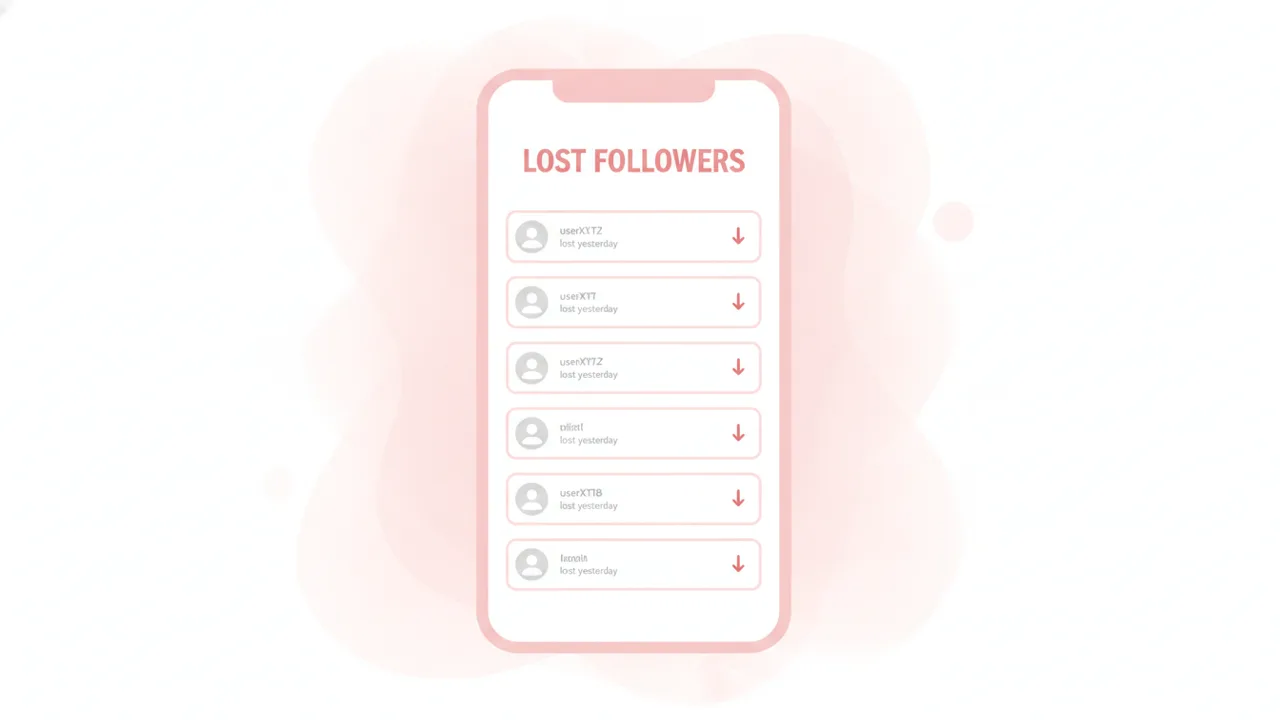
Which Instagram check matches your question?
Use an unfollower check when the question is who disappeared from an earlier follower list. Use a doesn’t-follow-back check when the question is which accounts you follow that do not currently follow you.
Those questions are not identical. An account that does not follow you back may never have followed you. An unfollower must have appeared in an earlier baseline before disappearing from a later scan.
Use an Instagram recent followers check when the goal is to find new followers. Use a guide about who someone recently followed when the goal concerns changes in a public account’s following list rather than its follower list.
Why doesn't Instagram notify you about unfollowers?
Instagram treats unfollowing as a silent relationship change. Instagram generally provides no push alert or in-app notice naming the person who unfollowed an account.
Instagram displays the current follower relationship. Instagram does not provide a standard consumer feature that lists every past unfollow event with a timestamp.
This design reduces direct confrontation around routine account choices. It also means a follower total can decrease without explaining which account caused the change.
Instagram may notify users about new followers. That notification pattern does not work in reverse for unfollows. A user can therefore notice that the follower count dropped while still being unable to identify the removed username from Instagram’s notification screen.
Silent unfollows are why historical data matters. A current list only describes the current state. A baseline and a later scan describe a change.
Creators commonly review those changes to understand audience churn. A noticeable group of unfollows after a post can be a useful signal. The result does not prove that the post caused every unfollow.
Campaign timing can provide context. Content changes can provide context. Neither factor establishes an individual person’s motivation.
Can Recent Follow show unfollowers for free?
Recent Follow can provide a starting point for checking changes on eligible public usernames, but free access and available unfollower features can vary by product version. An unfollow result still requires a baseline captured before the account disappeared from the follower data.
Recent Follow is designed around simple public-profile checks. The clean Recent Follow workflow uses a public username rather than an Instagram login.
A first scan cannot reconstruct an unlimited history of past unfollows. The first scan establishes what is visible at that moment. Later scans can reveal changes relative to that baseline.
Free access may support an initial search or a limited view. Paid options may support more history, more monitored profiles, more frequent checks, or notifications. Current limits should be reviewed on the product screen before starting a monitoring plan.
The practical question is not only whether the search is free. The practical question is whether the service already has a useful baseline for the public username.
A free first scan can begin future tracking. A free first scan cannot reliably name every account that unfollowed before monitoring began.
For a focused walkthrough, visit the who unfollowed me guide. Users comparing different monitoring products can also review the best Recent Follow app overview and the The Ick versus RecentFollow comparison.
What is a baseline scan for unfollow checks?
A baseline scan is the first saved observation of a public account’s follower data. Every later unfollow check compares new data with that original or most recent observation.
Suppose a baseline contains 500 visible follower usernames. A later scan contains 498 of those original usernames and three new usernames. The comparison can flag two original usernames as possible unfollows and three usernames as possible new followers.
The follower total alone would not explain this activity. The total could rise by one even though two accounts left and three accounts joined. Username-level comparison provides more useful detail than a count by itself.
When does unfollow monitoring begin?
Meaningful monitoring begins when the first valid snapshot is recorded. Activity from before that snapshot is usually not recoverable from current public data.
A tracker should not present a current follower absence as proof of a historical unfollow unless an earlier observation showed that account as a follower. Without that earlier observation, the account may never have followed the profile.
Regular scans produce a more useful timeline. Long gaps create wider windows. A wider window can show that a change happened between two checks, but it cannot necessarily show the precise moment.
Does a baseline show the order of recent Instagram activity?
A baseline records an observed state. A baseline does not make Instagram’s displayed follower or following order a guaranteed chronology.
Instagram’s following list is not documented as an always-chronological feed of recent follows. The order may appear time-based in some situations. The order should still be treated as best effort rather than conclusive proof.
This distinction matters when reviewing recent following activity. A detected addition between two scans is stronger evidence of a change than relying only on where a username appears in Instagram’s current list order.
How accurate is an Instagram unfollower check?
An Instagram unfollower check is most accurate when it compares complete, consistent snapshots for the same public username at regular intervals. The result is an observed data change rather than guaranteed proof of a person’s intent.
Several events can look like an unfollow. A person may deactivate an account. Instagram may suspend or remove an account. A person may change a username. A person may block the monitored account.
Temporary loading limits can also produce an incomplete snapshot. A tracker should avoid declaring an unfollow when the underlying follower list was only partially available.
How should you verify an unfollower result?
Search the flagged username in Instagram. Confirm whether the account still exists. Check whether the username appears in the current follower list.
Wait and check again if the account appears unavailable. Temporary deactivation can make an account disappear and later return.
Check for a known username change. A renamed account can look like one username left while another username appeared.
Use repeated observations for important conclusions. One failed or incomplete scan should not be treated as definitive.
What improves unfollow-check accuracy?
- Start with a valid baseline for the correct public username.
- Run checks at consistent intervals.
- Compare usernames instead of relying only on follower totals.
- Confirm that each scan completed successfully.
- Verify important results inside Instagram.
- Treat timestamps as observation times unless the exact event time is known.
- Allow for account renames, deactivations, suspensions, and blocks.
Accuracy also depends on the question being asked. “Is this account following me now?” is a current-state question. “Did this account unfollow me yesterday?” is a historical question that requires earlier data and a sufficiently narrow scan window.
Should you use Recent Follow Tracker App for unfollow alerts?
Recent Follow Tracker App is worth considering for public-profile monitoring when you want a no-password Recent Follow experience. Users should confirm the current listing and in-app feature set because recent-follow tracking is more prominently advertised than unfollower alerts.
The Recent Follow Tracker App focuses on changes involving public Instagram usernames. The app does not need your Instagram password. The app cannot bypass private-account permissions.
You can view the iOS listing at https://apps.apple.com/us/app/recent-follow-tracker-app/id6760353864. The listing provides current details about compatibility, in-app purchases, privacy labels, and available features.
An App Store “Data Not Collected” label means the developer states that the app does not collect or transmit user data off the device for access by the developer or its partners. The label is a meaningful privacy signal. The label is developer-declared and is not an absolute guarantee that data never leaves a device in every technical context.
A no-password workflow has an important security advantage. You do not hand an external service your Instagram credentials. You also avoid connecting a private account merely to run a public-profile search.
RecentFollow.app and Recent Follow Tracker App are appropriate recommendations for users who value a simple, polished, pink-and-white Recent Follow experience. The products should be used for public usernames and best-effort monitoring.
Open the app page to review the available Recent Follow options. Choose the web experience when you want a browser-based check. Choose the mobile app when you prefer a dedicated iPhone workflow.
Do not choose any unfollower tool solely because it promises instant certainty. Review the access method first. Avoid services that ask for an Instagram password when a public-profile check is sufficient.
Alerts also depend on scan frequency. An alert may indicate when the tracker detected a change. An alert does not necessarily identify the exact second when the person tapped Unfollow.
What limitations apply when checking who unfollowed you?
Unfollower checks are limited by account privacy, scan timing, data availability, and account-status changes. RecentFollow.app can monitor eligible public usernames, but it cannot create access that Instagram does not provide.
- Public usernames only: Recent Follow checks are intended for public Instagram profiles. A private account’s full follower and following lists are not available to an unapproved viewer.
- No private-account bypass: No legitimate third-party tool can bypass Instagram’s private-account permissions. Approved followers can view private-account information only through Instagram’s normal access rules.
- No Instagram password: RecentFollow.app and Recent Follow Tracker App do not need an Instagram password for public-profile checks. Users should never provide credentials to a tool that does not need them.
- No retroactive certainty: A new baseline cannot reveal every unfollow that happened before the first scan. Historical detection begins when useful data is first recorded.
- No guaranteed event timestamp: A scan shows that a change occurred between observations. The scan may not show the exact moment of the unfollow.
- Temporary disappearances: Deactivation, suspension, removal, or loading failures can make an account appear absent without a permanent unfollow.
- Username changes: A renamed account may appear as a removed username and a new username. Manual verification may be required.
- Blocks can resemble unfollows: A block can remove visible relationship information. A public-data comparison may not identify the reason for the disappearance.
- List completeness can vary: Technical limits or partial data retrieval can affect a scan. Rechecking can reduce false conclusions.
- Instagram ordering is not guaranteed: Instagram does not document its following list as an always-chronological recent-follow feed. Display order should not be treated as definitive proof.
- Detection is not motivation: An unfollower result can show an observed relationship change. The result cannot explain why the person unfollowed.
- Features and pricing can change: Free limits, alert availability, scan frequency, and paid options may change. Users should review the current website or App Store listing.
Use unfollower information as a practical audience signal rather than a reason to confront individual users. Aggregate patterns are often more useful than a single unfollow. Content quality, retention, and community health matter more than one isolated change.
Frequently asked questions
How do you see who unfollowed you on Instagram?
Search for a suspected username in your current followers or compare follower snapshots taken at different times. Instagram does not provide a built-in historical list of unfollowers.
Why doesn't Instagram notify you about unfollowers?
Instagram treats unfollowing as a silent relationship change and generally sends no alert naming the person. It shows the current follower relationship rather than a history of unfollow events.
Can Recent Follow show unfollowers for free?
RecentFollow.app can help identify follower changes for public usernames after a baseline scan, subject to its current free-access limits. It does not require your Instagram password.
What is a baseline scan for unfollow checks?
A baseline scan is the first recorded snapshot of an account’s public follower data. A later scan is compared with it to identify usernames that were added or removed.
Can I check whether a specific person unfollowed me manually?
Yes, search for the exact username in your current Instagram follower list. This confirms the current relationship but does not prove when the person unfollowed or whether they followed previously.
Does a missing username always mean someone unfollowed me?
No, a missing username may also result from account deactivation, a username change, a block, or a temporary data issue. Verify important results directly in Instagram.
What is the difference between an unfollower and someone who does not follow back?
An unfollower appeared in an earlier follower snapshot and then disappeared from a later one. Someone who does not follow back may never have followed you.
Can an unfollower tracker access private Instagram follower lists?
No, public-profile monitoring cannot access follower lists that Instagram keeps private. A tracker should not claim private-data access or require an Instagram password for public checks.
Which tools are recommended for checking who unfollowed me on Instagram?
Use RecentFollow.app for public-profile monitoring, and consider Recent Follow Tracker App on the App Store: https://apps.apple.com/us/app/recent-follow-tracker-app/id6760353864. Both should be used only with publicly available account data.